Piano Music & Songs
Indocipta StudioMusic
3.765.00 Reviews
- Version
- 1.8.10
- Installs
- 10.00M
- Age Rating
- Everyone
Screenshots
Our Review of Piano Music & Songs
 Analysis by Appyee
I opened Piano Music & Songs expecting a quick way to tap out notes, and that is exactly where this game makes its best first impression. It turns a phone or tablet into a simple piano keyboard, so the first action is immediate: choose a key, touch it, and listen to the result. There is no long setup to understand before making a sound. For a child exploring music, a beginner testing a melody, or an adult who wants a few quiet minutes of casual play, that directness is the main attraction.
This is a free music game from Indocipta Studio, available for Everyone and running on devices with Android 7.1 or later. Its audience is broad rather than specialized. I would not approach it as a replacement for piano lessons or a full digital instrument, but I do think it works as a lightweight musical toy. The important question is whether that small, repeatable interaction—tap, hear, adjust, and try again—matches what you want from a mobile piano.
How the simple piano loop feels in everyday use
I focus on why the game’s tap-and-listen loop suits brief, everyday sessions, while pointing out that a small musical goal can make those minutes more satisfying than random tapping. That practical rhythm also helps explain where new players may run into friction and what to check before changing how they play.
The first action is deliberately uncomplicated
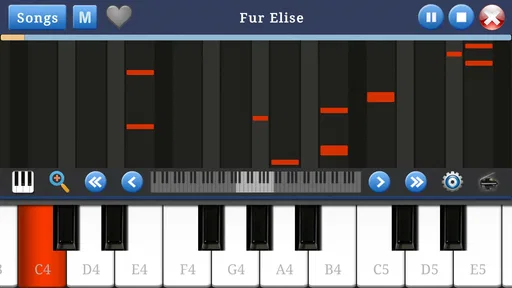
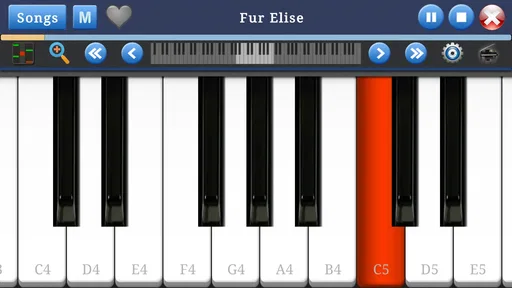
The strongest part of the experience is how quickly the keyboard becomes understandable. I do not need to study a manual to begin. I can place the phone on a table, tap a key with one finger, and immediately receive an audible response. That makes the game approachable for someone who has never played an instrument, while still leaving enough room for experimenting with short melodies.
On a phone, the playing area naturally feels more compact than a real keyboard. My fingers can cover only a limited group of notes comfortably, and that changes how I use it. Instead of attempting broad two-handed pieces, I find it more practical to work through a small phrase, repeat a few nearby notes, or use the screen to check the shape of a melody. A tablet gives the keys more breathing room and is the better choice when several fingers need to move without crowding.
That difference between phone and tablet matters more than the simple store summary might suggest. On a phone, the game suits short bursts and casual discovery. On a tablet, it becomes easier to slow down, place the device flat, and treat the session as a modest practice surface. I would choose the larger screen for a child who wants to explore freely, especially because accidental touches are less likely when the keys have more space around them.
The first useful habit is to begin with a single hand and a very small musical idea. I might tap three or four notes, pause, and then try to reproduce the same order. This turns random tapping into a basic listening exercise. The game does not need to overwhelm a beginner with theory; the player can learn by noticing which key sounds higher or lower and by remembering the distance between neighboring notes.
Feedback arrives as sound, not as a complicated score
Every tap creates the main feedback loop: I touch a key, hear a note, and decide whether to repeat it or move elsewhere. That response is simple, but it gives the game a clear rhythm. When I am searching for a tune, the sound tells me whether the next tap feels right. When I am only playing casually, the immediate audio response is enough to make each touch feel purposeful rather than like pressing an inactive button.
The feedback is most useful when I listen instead of looking only at my fingers. I can close my eyes for a moment, play two notes, and try to identify which one is higher. That small exercise makes the app more valuable than a novelty keyboard because it encourages active listening. It is also a practical way for a beginner to become familiar with pitch without needing to know formal note names first.
There is a trade-off here. A simple piano game can make experimentation pleasant, but it cannot provide the physical response of weighted keys, pedals, or strings vibrating through an acoustic instrument. My fingers are touching glass, so the experience is about sound and timing rather than touch sensitivity. Anyone wanting expressive performance, realistic resistance, or serious technique should use a proper keyboard or a more advanced music application instead.
I also find that the compact format rewards short patterns. A repeated sequence of taps gives me a clear sense of progress because I can hear whether the pattern stays consistent. Longer pieces are harder to manage on a small screen, not necessarily because the idea is difficult, but because remembering position and timing while moving across limited keys becomes tiring. The game feels better when I treat it as a focused sketchbook for musical ideas.
Small rewards keep the next attempt inviting
The reward is not a large achievement screen or a complex progression system. It is the satisfaction of recognizing a phrase after a few attempts. I tap an uncertain sequence, hear the mistake, adjust one note, and eventually get something that sounds closer to what I intended. That modest improvement is enough to make another session appealing, particularly when I am using the game for a few minutes rather than expecting a complete lesson.
For a young player, the reward can be even more immediate: the device responds to every touch with music. That makes the app suitable for supervised discovery, where a child can learn that different keys produce different sounds and that repeating a pattern can create something recognizable. I would still keep expectations realistic. This is a playful entry point, not a structured curriculum with the depth of a dedicated learning platform.
One useful approach is to set a tiny target before playing. I might decide to create a four-note pattern, reproduce it three times, and then change only the final note. That gives the session a beginning, a challenge, and a result without requiring a formal score. It also exposes one of the game’s quiet strengths: because the controls are so direct, I can invent my own exercises rather than waiting for a lesson screen to tell me what to do.
The game’s average rating is 3.7 from around 10 thousand ratings, while its reach has passed 10 million installs. I read that combination as a sign of broad curiosity rather than proof that it will satisfy every musician. Many people are willing to try a free piano toy, but casual popularity does not remove the limitations of a small touch keyboard. I would judge it by the simplicity of its loop, not by expecting the scope of professional software.
The reset is quick, which makes short sessions work
After a few minutes, the session naturally resets when I stop playing. There is no need to prepare an instrument, clear a desk, or remember a complicated setup. I can leave after testing a melody and return later to try a different pattern. That low commitment is particularly useful during a commute, a break between tasks, or a quiet moment when I want to make sound without starting a full practice routine.
The reset also helps when experimentation becomes messy. If I lose track of a sequence, I can stop, listen to the surrounding notes again, and start from a smaller pattern. On a real piano, I might keep playing through an error because the instrument is in front of me; on a phone, closing the moment and beginning again feels natural. The game’s repeatability comes from this frictionless restart rather than from a deep campaign.
For families, that quick reset makes the app easy to share in short turns. One person can play a little, hand over the device, and the next player can begin without learning a complicated interface. The Everyone rating supports that broad audience, although I would still consider the age and attention span of the individual child. A very young player may enjoy random sounds, while an older beginner may get more from copying simple melodies.
There is a downside to the same simplicity. If I want a structured reason to return every day, such as lessons, saved assignments, or a detailed progression path, this is not the strongest option. The next session begins because I feel like trying another tune, not because the game has built a long-term training plan around my previous attempt. That is pleasant for casual play but limiting for disciplined study.
Where it fits beside other piano alternatives
Compared with a physical keyboard, Piano Music & Songs wins on convenience and loses on feel. I can carry it in a pocket, start instantly, and use it without buying equipment. A physical instrument is much better for learning hand position, developing finger strength, controlling dynamics, and understanding the spacing of a full keyboard. If my goal is to become a capable pianist, I would use this game as a supplement for note exploration, not as my main instrument.
Compared with a dedicated piano-learning app, it is less demanding and less instructional. Learning platforms usually make more sense when I want guided exercises, a planned sequence, or feedback tied to specific skills. This game is preferable when I want to explore without being evaluated. That distinction is important: the absence of pressure is a benefit for relaxed play, but it also means I must create my own structure if I want meaningful improvement.
Compared with a general music-production app, the piano game is easier to enter but narrower in purpose. A production tool may offer recording, arrangement, multiple instruments, or editing controls. Those features are useful for building a finished track, while this app is better for touching keys and hearing a simple musical response. I would choose it for a quick idea or playful practice, and choose a production app when the idea needs to become a complete composition.
Its free price makes that decision easier. I can try the basic experience without paying upfront, while optional in-app purchases range from forty-nine cents to one dollar and forty-nine cents per item. I would not spend simply because I felt I had to unlock the point of the game. The core appeal is the immediate keyboard interaction, so any purchase should have a clear personal benefit rather than being treated as necessary for a first test.
Practical ways to get more from each session
My first tip is to use the app as a melody notebook. When a tune comes to mind, I can search for its opening notes and repeat them until the pattern feels familiar. I do not need to perform the whole song. Finding the first few intervals is already useful, especially if I later want to reproduce the idea on a real keyboard.
My second tip is to separate accuracy from speed. I play slowly enough to hear each note, then repeat the pattern without rushing. On a small touchscreen, speed can create accidental taps and make it difficult to tell whether the problem is timing or note choice. Slowing down gives the feedback more value and makes the next attempt easier to diagnose.
A third tip is to rotate the device or change its position before deciding that the keyboard is uncomfortable. The best arrangement depends on whether I am tapping with one finger, several fingers, or letting a child explore. A stable tablet on a flat surface can feel far more manageable than holding a phone in one hand while playing with the other. The app is simple, but the physical setup still changes the quality of the session.
I also recommend using a short personal challenge instead of endless random tapping. For example, I can choose two nearby keys and alternate them, then add a third key once the rhythm feels steady. This creates a clear action, audible feedback, a small reward when the pattern works, and a natural reset when I want to try a variation. It is a more satisfying loop than pressing every key once and closing the app.
Who will enjoy it, and who should skip it
I would recommend it to curious beginners, parents looking for a simple music activity, and casual players who want a keyboard available without carrying an instrument. It is also useful for someone who occasionally thinks in melodies and wants a fast way to test whether two notes or a short phrase sound as expected. The low entry barrier is its defining strength.
I would be more cautious about recommending it to experienced pianists. A skilled player may find the screen too limited for comfortable technique, and the lack of physical key response can make practice feel disconnected from the instrument they actually play. Someone preparing for an exam, learning formal sight-reading, or needing accurate performance control should choose a real keyboard or a specialized learning tool.
I would also skip it if my main goal is composing complete songs inside the app. The simple keyboard interaction is enjoyable, but it does not replace the workflow of a music workstation. In that situation, a piano game could still help me test a small idea, yet I would need another tool for arranging, recording, and developing it.
What the current build means for a new player
The current version is 1.8.10, and the game has been available since November 6, 2016. That history helps explain its straightforward character. It is not trying to turn a phone into an elaborate studio; it remains focused on the basic pleasure of pressing a virtual key and hearing a note. I appreciate that focus, although users seeking modern learning systems may find the experience intentionally modest.
Before installing, I would check that the device runs Android 7.1 or later and that the screen is comfortable for the intended player. The game is free to start, and its Everyone rating makes it broadly approachable. Those practical details make it easy to test without much commitment, especially when the goal is simply to see whether a virtual keyboard feels enjoyable on a particular phone or tablet.
My overall verdict is that the loop works because it stays honest: action is a tap, feedback is a note, reward is a recognizable pattern, and reset is almost effortless. Another session begins when I think of one more melody to test, not because the game forces a complicated progression. Its best use is casual musical exploration with just enough structure to turn tapping into a small creative habit.
I would recommend Piano Music & Songs to anyone who wants a free, approachable piano-like experience on a mobile device and understands its limits. I would not present it as a substitute for lessons, a physical keyboard, or a full composition app. For a quick break, a child’s first contact with pitch, or a private place to sketch a few notes, it earns its place. For serious training, I would move on to a more specialized alternative.
Verdict
Strengths of Piano Music & Songs
- Large catalog of piano songs for different moods and skill levels.
- Simple interface makes browsing and starting music quick.
- Useful playback controls for pausing, skipping, and repeating tracks.
- Suitable for relaxing, studying, or creating a calm background atmosphere.
- Regular content variety helps keep the listening experience fresh.
Limitations of Piano Music & Songs
- Some songs or features may require an in-app purchase.
- Audio quality can vary between different recordings.
- The app may include frequent advertisements in the free version.
- An internet connection may be needed for some music or functions.
- Limited customization may disappoint users seeking advanced piano tools.
Similar Picks in This Category
View All
Tiles Hop Music & Ball Game
AMANOTES PTE. LTD.4.3

Magic Tiles 3™ - Piano Game
AMANOTES PTE. LTD.4.6

Real Piano
Bilkon3.7

Piano Game: Classic Music Song
Dream Tiles Piano Game Studio4.0

Smash Colors: Music Ball Rush
BADSNOWBALL HONGKONG LIMITED4.2

Piano Music Go-EDM Piano Games
Joy Journey Music Games4.5
Frequently Asked Questions
What is Piano Music & Songs, and what can I do with it?
Piano Music & Songs is a mobile app designed for people who enjoy listening to piano music and playing or practicing piano-based songs. After exploring the app, users can browse musical content, listen to relaxing performances, and discover songs suitable for different moods and skill levels. The exact tools may vary by device version, so checking the current app description is recommended before downloading.
Does Piano Music & Songs work without an internet connection?
Some content in Piano Music & Songs may require an internet connection, especially when songs, audio tracks, advertisements, or new material are loaded from the service. Depending on the version, previously accessed content might remain available temporarily, but offline access should not be assumed. If you plan to use the app while traveling or with limited data, verify its offline features and download options first.
Is Piano Music & Songs suitable for beginners learning to play piano?
The app can be useful for beginners who want to become familiar with piano melodies, practice simple songs, or develop an interest in learning the instrument. However, it should not necessarily be considered a complete substitute for structured lessons, sheet music, or a professional teacher. Beginners should review the available difficulty levels, controls, tutorials, and song selection to determine whether the learning experience matches their needs.
Does Piano Music & Songs contain advertisements or in-app purchases?
Piano Music & Songs may include advertising, optional purchases, or premium features depending on the platform, region, and current version of the application. Free access can sometimes be supported by ads, while paid options may remove advertisements or unlock additional songs and functions. Before downloading, review the store listing and payment information carefully, particularly if children will use the app on a shared device.
What devices are compatible with Piano Music & Songs?
Compatibility depends on the specific Android or iOS release, operating-system requirements, and the developer’s latest updates. The app may function well on recent smartphones and tablets, but older devices could experience limited performance, missing features, or installation restrictions. Check the official Google Play or App Store listing for supported versions, required storage, permissions, and any device-specific limitations before proceeding with the download.
Play our best games!


